How Ecommerce Stores Should Evaluate WhatsApp Business API Platforms for Visual Bot Builder
Choosing the wrong WhatsApp Business API platform means rebuilding your entire bot later. Many ecommerce teams pick a vendor on price alone, then discover their drag-and-drop builder cannot handle cart recovery flows or order updates without a developer.
This article gives you a framework for evaluating platforms before you commit. You will learn which criteria matter most, how to assess a visual bot builder and its integrations, and what to ask about payments, security, and multi-channel readiness. It closes with a practical checklist and a look at how Com.bot measures against these standards.
Why Visual Bot Building Matters for Ecommerce on WhatsApp
WhatsApp's 2 billion+ users make it a critical channel for ecommerce, but manual responses can't handle the volume of order inquiries and cart recovery messages. Shoppers now expect instant, conversational replies, and a support team typing answers one by one will always fall behind during peak hours.
This shift toward conversational commerce means the WhatsApp Business API becomes a core sales and service channel rather than a side experiment. Yet the API itself is only infrastructure. What determines results is how quickly a store can build, test, and refine the automated flows running on top of it.
That is where a visual bot builder changes the equation. Instead of filing developer tickets for every new flow, marketing and support teams can assemble conversations themselves. Speed matters here: cart recovery and order updates only work when the automation is live before the moment passes.
When evaluating platforms, treat the builder as a first-class criterion, not an afterthought. A powerful API with a clunky flow editor often costs more in delays than it saves in capability.
What a Drag-and-Drop Bot Builder Actually Enables
A drag-and-drop bot builder replaces complex coding with a visual canvas where you connect blocks for messages, conditions, and actions.
The practical benefit is rapid prototyping. A team can sketch a cart recovery flow quickly, run it against real traffic, and adjust wording or timing soon after.
These environments also support structured experimentation. Teams can A/B test two versions of a welcome flow, compare reply rates, and keep the stronger variant. Because no deployment pipeline is involved, iteration stays cheap.
Most no-code builders ship with pre-built templates for common ecommerce scenarios, including order confirmations, delivery updates, and FAQ menus. Templates accelerate the first launch, though they still need customization to match a store's tone and policies.
When comparing platforms, check how the builder handles branching logic, variable personalization, and handoff to a human agent. A canvas that looks simple but cannot route a complex query will limit growth later.
Common Ecommerce Use Cases: Order Updates, Cart Recovery, Support
Ecommerce brands deploy WhatsApp bots for three high-impact use cases: proactive order updates, cart abandonment recovery, and 24/7 customer support. Each relies on different message types and timing rules, so the builder must handle all three cleanly.
Order updates use template messages, which require approval before sending. A typical sequence covers order confirmation, a shipping notification, and a delivery confirmation. Because these are business-initiated, they sit outside the 24-hour customer service window and must follow Meta's template rules.
Cart recovery works differently. When a shopper abandons checkout, the store can trigger a session message if the customer has an open window, offering help or answering objections. Where consent allows, a follow-up template can nudge the shopper later. Well-timed recovery flows can help improve cart recovery rates.
Support automation handles FAQs, return requests, and order tracking through guided flows. A bot can resolve routine questions instantly and escalate complex cases to a human agent, keeping response times low without expanding headcount.
Before committing to a platform, map these three use cases against its builder. Confirm it supports template message approval workflows, session message triggers, and webhook integration for order data from systems like Shopify, WooCommerce, or Magento.
Core Evaluation Criteria for WhatsApp Business API Platforms
Choosing a WhatsApp Business API platform requires scrutinizing partner status, reliability, and pricing to avoid hidden costs and compliance risks. These three pillars determine whether a visual bot builder can actually perform in a live ecommerce environment.
Official Meta partner status decides whether your account stays compliant. Message delivery reliability decides whether customers receive order updates and promotions on time. Pricing transparency decides your true cost per conversation as volume grows.
Each criterion maps to a distinct business risk. Partner status protects against sudden bans or throttled messaging limits. Reliability protects revenue during peak seasons like holiday sales or flash promotions. Transparent pricing protects margins when campaign volume scales.
For an ecommerce store, these factors compound. A platform with strong uptime but unclear billing can erode profit quietly. A cheap provider without official status may work fine until Meta flags the account. Evaluate all three together, not in isolation.
The following sections break down what to check, what questions to ask vendors, and which warning signs suggest a platform is not built for scale.
Official Meta Partner Status and API Compliance
Only platforms with official Meta Business Partner status can guarantee compliant access to the WhatsApp Business API and avoid sudden service disruptions. This status is not marketing language. It reflects a vetting process that Meta applies to WhatsApp Business Solution Providers.
Approved partners typically gain access to higher messaging limits and priority support channels. They also understand the mechanics of business verification and green tick verification, which affect how customers perceive your brand in the chat list.
Compliance touches several practical areas:
- Proper phone number verification and business verification workflows
- Guidance on opt-in consent rules before sending template messages
- Support for message template approval so campaigns are not rejected
- Correct handling of the 24-hour customer service window
Unofficial providers may use unauthorized methods to connect accounts. That shortcut can lead to account bans, lost chat history, and disrupted order notifications. For an ecommerce store, that means abandoned carts and frustrated buyers.
Ask each vendor directly whether they are a Meta Business Partner or an authorized WhatsApp Business Solution Provider. Request documentation. A legitimate provider will answer without hesitation, and that answer shapes every other part of your platform evaluation.
Message Delivery Reliability and Uptime at Scale
Reliability hinges on the platform's infrastructure: it must handle high throughput, respect API rate limits, and provide real-time delivery status via webhooks. A visual bot builder is only as useful as the messages it actually delivers.
Start with the uptime SLA. Many established providers publish a 99.9% commitment, but the details matter. Check how downtime is defined, what credits apply, and whether maintenance windows are excluded from the calculation.
Next, examine capacity. Ask about throughput limits measured in messages per second. During peak seasons, such as holiday sales or limited-time drops, a platform that throttles sends will delay order confirmations and cart reminders.
Delivery visibility is equally important. Webhook integration lets your systems receive message delivery status updates, including sent, delivered, read, and failed events. Without webhooks, you are guessing whether a template message reached the customer.
Useful questions to ask vendors:
- What is your uptime SLA, and how is it measured?
- What throughput can you sustain per phone number?
- Do you support webhooks for delivery receipts and failure reasons?
- How do you handle Meta API rate limits during traffic spikes?
- Can you share architecture details on redundancy and failover?
Reliability also connects to CRM integration and ecommerce platform integration. If delivery events flow into your CRM or your Shopify, WooCommerce, or Magento integration, your team can retry failed sends and keep conversational commerce running smoothly.
Pricing Transparency and Per-Conversation Markups
Beyond Meta's per-conversation fees, platforms often add markups or charge for additional features, so demand a clear breakdown of all costs. Meta charges for template messages and session messages based on conversation category and country, and those base rates change over time.
Platforms layer their own fees on top. Some charge a monthly subscription. Others apply a per-message markup or bill per active user. A few charge extra for additional channels, seats, or automation runs.
Request a detailed pricing sheet that separates:
- Monthly platform or subscription fees
- Per-conversation markups above Meta's base rates
- Costs for extra users, phone numbers, or channels
- Charges for no-code builder automation runs or bot sessions
- Fees tied to CRM integration or ecommerce platform integration
Watch for red flags. Hidden overage charges appear when you exceed a message quota. Unclear billing cycles make forecasting difficult. Some vendors bundle Meta fees with their own markup, so you cannot see the true cost per conversation.
Model your expected volume before committing. Estimate monthly template and session messages, then compare total cost across two or three providers using the same assumptions. A platform with a low headline rate but heavy markups can cost more than a higher subscription with pass-through Meta pricing. Transparent billing is a long-term advantage for any ecommerce store scaling conversational commerce.
Assessing the Visual Bot Builder Itself
Once you have compared providers on business verification support, the green tick process, API rate limits, and throughput, the next step is to look closely at the builder you will actually use every day. A provider can look strong on paper and still hand you a canvas that only a developer can operate. That mismatch slows every campaign you run.
The visual bot builder is where your marketing and support teams will spend most of their time. It determines how fast you can launch a new flow, how easily you can fix a broken step, and how much you depend on engineering tickets. Builder quality directly shapes your speed to market.
Two areas deserve the closest scrutiny. The first is how the flow editor feels to a non-developer. The second is how well the builder connects to the tools your ecommerce store already runs on. Everything else, including template message approval workflows and webhook integration, tends to follow from those two foundations.
Treat this part of your platform evaluation as a hands-on exercise. Ask for a sandbox or trial environment and build one real flow, such as an order status check or an abandoned cart follow-up. What you learn in that hour tells you more than any feature checklist.
Ease of Building Flows Without Developer Help
A truly no-code builder lets marketing teams create, test, and deploy complex flows without writing a single line of code. The test is simple: can a campaign manager build a branching conversation on their own, or does every change require an engineer?
The core of a good experience is a drag-and-drop interface with a clear canvas. Nodes should snap into place, connections should be easy to redraw, and the whole flow should stay readable as it grows. A canvas that becomes a tangle of overlapping lines after twenty nodes will slow your team down.
Beyond the canvas, look for these capabilities:
- Pre-built templates for common ecommerce flows such as order confirmations, delivery updates, and cart recovery
- Conditional logic that routes customers based on tags, order history, or previous replies
- Real-time preview so you can see the customer view before publishing
- AI-assisted suggestions or natural language processing nodes that help interpret free-text replies
Collaboration features matter just as much once more than one person touches a flow. Look for role-based permissions, comments, version history, and the ability to duplicate a flow and edit it without disturbing the live version. A builder without versioning turns every experiment into a risk.
Finally, check how the builder handles the WhatsApp-specific rules. Session messages and template messages behave differently, and the 24-hour customer service window constrains what you can send. A strong builder makes those boundaries visible inside the editor rather than letting you build a flow that will fail at send time.
Integrations with Ecommerce Stack: Catalogs, Payments, CRMs
Your bot builder must connect natively with your ecommerce platform (Shopify, WooCommerce, Magento), CRM, and payment gateways to automate data flow. Without those connections, your team ends up copying order numbers between systems or exporting spreadsheets by hand.
Native integrations change what a conversation can do. Consider a Shopify integration that pulls live order status into a WhatsApp message. The customer asks where their parcel is, and the bot answers with real data instead of a generic reply. That is conversational commerce working as intended.
Prioritize integrations in three categories:
- Product catalogs so customers can browse items and add them to a cart inside the chat
- Payment gateways that support checkout without leaving WhatsApp, reducing drop-off between intent and purchase
- CRM integration that syncs contact records, tags, and conversation history both ways
Also examine how the platform handles webhook integration for anything not covered natively. Webhooks let you push events into your own systems, such as flagging a high-value customer for a human agent. Check the documentation quality and whether retries are handled when an endpoint is briefly unavailable.
Do not take integration logos at face value. Ask what data actually syncs, in which direction, and how often. A one-way push of phone numbers is very different from a two-way sync of order history and support tickets.
Personalization depends on this data flowing cleanly. When your CRM and catalog are connected, a returning customer can be greeted by name with relevant products rather than a generic menu. That level of relevance is hard to achieve through manual workarounds, which is why integration depth belongs near the top of your platform evaluation.
Payments, Security, and Multi-Channel Readiness
Native payment support and robust security are non-negotiable for ecommerce, while multi-channel readiness future-proofs your investment.
When you evaluate a WhatsApp Business API platform, the conversation does not end at a well-designed visual bot builder. The real test is what happens after a customer taps a product, confirms an order, and reaches checkout. If that journey breaks, the drag-and-drop interface that looked so impressive in a demo delivers little business value.
Three capabilities separate platforms built for conversational commerce from those built for simple notifications:
- Payment handling that keeps the buyer inside the chat instead of redirecting to a browser
- Security controls that protect payment details, personal data, and message content
- Multi-channel reach that lets the same bot logic serve customers on Facebook and Instagram
Each area carries its own evaluation criteria, and each one interacts with the others. A platform with strong payments but weak encryption creates liability. A platform with tight security but no multi-channel support limits future growth. The sections below break down what to check and why it matters.
Native Payment Support and Data Encryption Standards
Platforms with native payment support let customers complete transactions without leaving WhatsApp, boosting conversion rates. The fewer steps between intent and payment, the less chance a shopper abandons the cart.
Native payments typically work in one of two ways. Some platforms connect directly to WhatsApp Pay where available, while others integrate third-party gateways that process the transaction through the chat interface. Both approaches aim for the same result: the buyer confirms the order inside the conversation, and the visual bot builder handles the flow from product selection to payment confirmation. For an ecommerce store, this removes the friction of switching apps, re-entering credentials, or waiting for a page to load on a slow connection.
Security standards matter just as much as payment convenience. Look for these protections when comparing platforms:
- End-to-end encryption on all messages, which keeps payment details and personal information unreadable to anyone outside the conversation
- PCI compliance for any platform that touches card data, whether directly or through a gateway partner
- Tokenization so stored payment credentials are replaced with unique tokens that have no value if intercepted
Encryption protects more than card numbers. Order histories, delivery addresses, phone numbers, and conversation records all fall under the same umbrella. If a platform cannot explain how it handles each category, treat that as a warning sign during platform evaluation.
Also check how payment events connect back to your systems. A webhook integration should fire when a payment succeeds or fails, so your CRM integration or ecommerce platform integration can update the order record automatically. Without that handoff, your team ends up reconciling payments by hand, which defeats much of the efficiency a WhatsApp Business API is supposed to deliver.
How Com.bot Fits These Evaluation Criteria
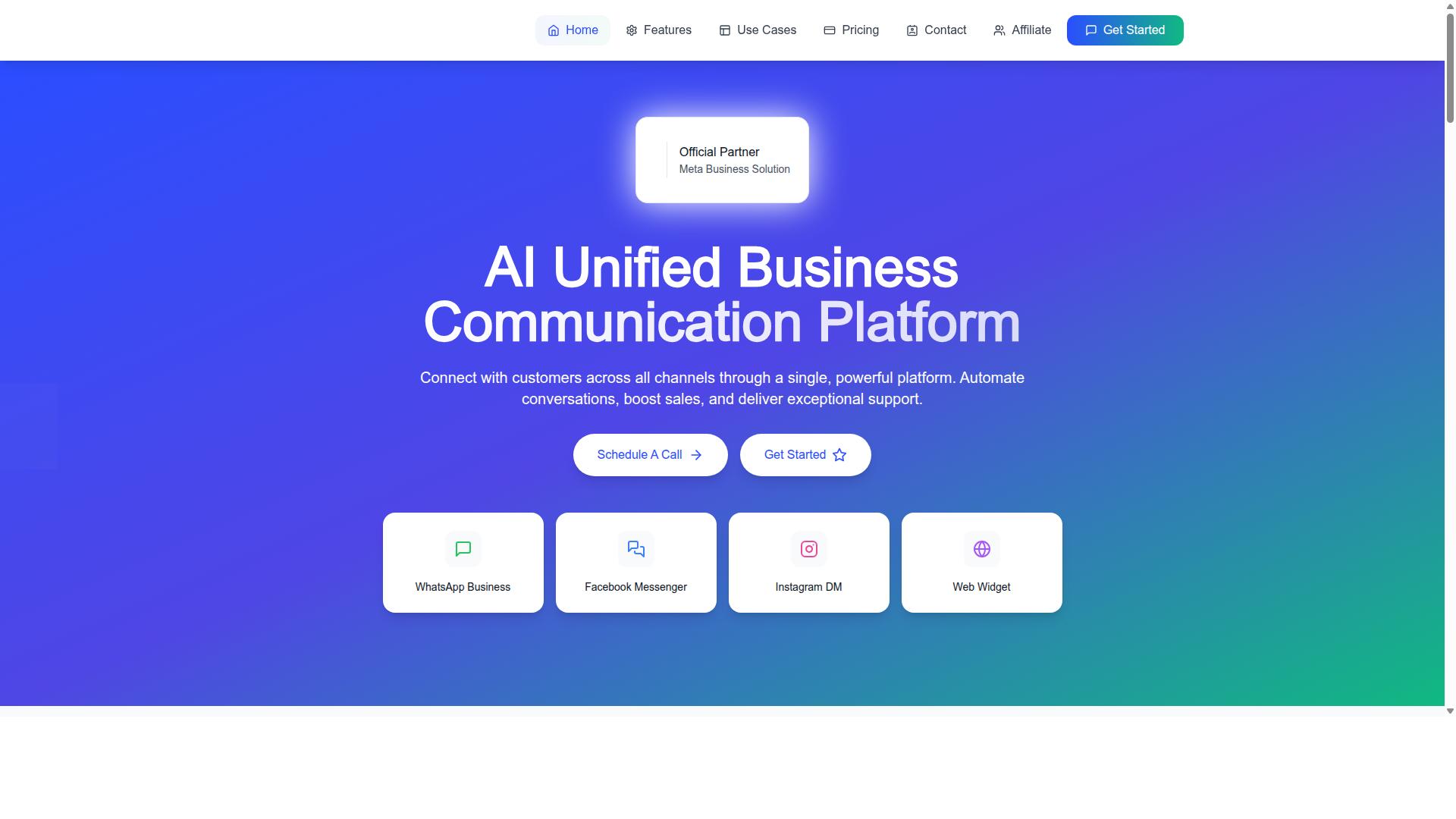
With its official Meta partnership, visual bot builder, and transparent pricing, Com.bot aligns closely with the evaluation criteria for ecommerce success. The platform checks several boxes that matter most when an ecommerce store compares WhatsApp Business API providers: verified status with Meta, infrastructure built for volume, clear pricing, and a no-code builder that non-technical teams can actually use.
As an Official Meta Business Partner, Com.bot sits in a category that carries real weight during platform evaluation. Partner status signals that the provider meets Meta's requirements for working with the WhatsApp Business API, which matters for business verification, template message approval, and keeping a green tick verification intact. For an ecommerce store, that reduces the risk of account issues disrupting conversational commerce at peak selling periods.
Reliability is the second pillar. Com.bot processes 25M+ messages per day, a volume that speaks to throughput and message delivery status handling at scale. The platform also reports real-time message delivery, quick setup and integration, and enterprise security with end-to-end encryption. Together, these address the infrastructure questions that separate a dependable WhatsApp Business Solution Provider from one that struggles under load.
Pricing transparency rounds out the fit. Com.bot charges WhatsApp messaging at actual Meta rates with no markup on conversations, so stores can forecast spend without hidden per-message margins baked in. The track record adds context: 23,000+ active customers, 100+ government bodies, 500+ global partners, and 100K+ bots created. Each of these speaks to a platform that has been tested across very different operating environments.
The details below break down how the visual bot builder, native payments, and plan pricing work in practice.
Visual Bot Builder, Native Payments, and Plan Pricing
Com.bot offers a drag-and-drop visual bot builder, native WhatsApp payments, and tiered pricing starting at $149 per quarter. The drag-and-drop interface lets ecommerce teams design chatbot flows without writing code, which shortens chatbot development cycles and keeps bot logic in the hands of marketing and support staff rather than developers.
Native payment support means transactions can happen inside the WhatsApp thread, which suits conversational commerce where a customer moves from question to checkout without leaving the chat. Multi-channel capabilities extend the same bot logic beyond WhatsApp, useful for stores that want one build to serve several touchpoints.
The plan structure is straightforward:
- Silver: $149 per quarter
- Gold: $349 per quarter (recommended)
- Platinum V1: $2500 per quarter
Add-ons are priced individually at $10 per month for each additional team member, social channel, external actions (per 5000), bot triggers (per 25000), and ecom store. Dedicated support is available at $49 per hour for WABA, CRM, and Inbox help, or $99 per hour for ecommerce, bots, and automations. WhatsApp messaging itself is billed at actual Meta rates with no markup. Pricing is listed in USD, though the site offers an INR toggle, so stores should confirm currency before committing.
Security and platform status complete the picture. Enterprise-grade end-to-end encryption protects conversations, and Official Meta Business Partner status supports business verification and template message approval workflows. For an ecommerce store weighing API rate limits, throughput, and webhook integration needs, this combination of a no-code builder, native payments, and clear per-quarter pricing gives a practical baseline for comparison.
Checklist: Questions to Ask Before Committing to a Platform
Before signing a contract, ask these 10 critical questions to uncover hidden costs, compliance gaps, and scalability limits. A platform that looks affordable on a pricing page can become expensive once message markups, seat fees, and overage charges appear. Similarly, a polished visual bot builder means little if the provider lacks proper Meta authorization or cannot support your ecommerce store's traffic spikes.
Use the checklist below as a structured platform evaluation framework. Each question includes why it matters and what a strong answer sounds like. Write the answers down and compare providers side by side before you commit.
- Are you an official Meta Business Partner or WhatsApp Business Solution Provider? Only authorized providers can issue API access reliably. A good answer names the provider's official status and confirms it directly with Meta. Unofficial resellers risk sudden access loss.
- What is your uptime SLA, and how is it measured? Downtime means missed orders and abandoned carts. Look for a written service level agreement with defined uptime targets, status transparency, and remedies if targets are missed.
- What is the full pricing breakdown, including Meta conversation fees and your markup? Meta charges per conversation category, and providers often add their own margin. A good answer separates Meta's fees, the platform subscription, and any per-message markup with no ambiguity.
- How easy is the visual bot builder for non-developers? A drag-and-drop interface should let your marketing team build and edit flows without engineering tickets. Ask for a live walkthrough and try building a simple order-status flow yourself.
- Which integrations are supported out of the box? Your chatbot development plans depend on connecting to your store, helpdesk, and data. Ask specifically about ecommerce platform integration such as Shopify integration, WooCommerce integration, and Magento integration, plus CRM integration and webhook integration for custom systems.
- How are payments and catalogs handled inside WhatsApp? Conversational commerce works best when customers can browse and pay without leaving the chat. Confirm whether the platform supports product catalogs, cart recovery, and payment flows in your target markets.
- Which security certifications and data practices do you follow? You are handling customer phone numbers, opt-in consent records, and order data. Ask about encryption, data residency, access controls, and compliance with regional privacy rules.
- Can the platform handle multi-channel support beyond WhatsApp? Many stores want one visual bot builder for WhatsApp, web chat, and social inboxes. A good answer explains which channels share the same flow builder and which require separate setups.
- How responsive is customer support, and through which channels? When a template message approval stalls or webhooks fail, slow support costs revenue. Ask about response times, escalation paths, and whether support is included or billed separately.
- What are the contract terms, notice periods, and exit process? Flexible contracts protect you if the platform underperforms. Look for clear cancellation terms, data export options, and no punitive lock-in clauses.
Two operational details deserve special attention during platform evaluation. First, confirm how the provider handles phone number verification and business verification, since these steps gate your access to higher messaging tiers and green tick verification. Second, ask how the platform manages API rate limits and throughput during flash sales, when message volume can spike sharply.
It also helps to test message delivery status reporting and the 24-hour customer service window logic before committing. Template message and session message rules differ, and a platform that handles them poorly will frustrate both your team and your customers. Clarity on these mechanics early can help prevent painful migrations later.
If you want to see how these answers look in practice, Com.bot offers a visual bot builder built for ecommerce WhatsApp automation. You can reach the team at sales@com.bot or call and message +91 080 6987 1810. The head office is at 501, Trinity Orion, Vesu Main Road, Surat - 395010, IN, with business hours Monday to Friday, 9:00 AM to 6:00 PM IST. WhatsApp support is also available for quick questions during your evaluation.